Restaurant website design succeeds when hungry customers can answer the practical questions—menu, hours, location, reservations, ordering, and atmosphere—without friction.
In practice, a restaurant website is part storefront, part host, and part local-search destination. It should communicate the experience while staying fast enough for people searching on the move. This guide covers the essentials for independent restaurants, cafes, bakeries, bars, tasting rooms, and hospitality groups.
Key Takeaways
- Put menu, hours, location, reservations, and ordering in the mobile path immediately.
- Use an accessible web menu in addition to any downloadable PDF.
- Choose strong food and interior images, then optimize them for responsive delivery.
- Keep business details consistent across the website, Google Business Profile, reservation tools, and directories.
- Track reservations, calls, directions, forms, and ordering clicks without counting the same action twice.
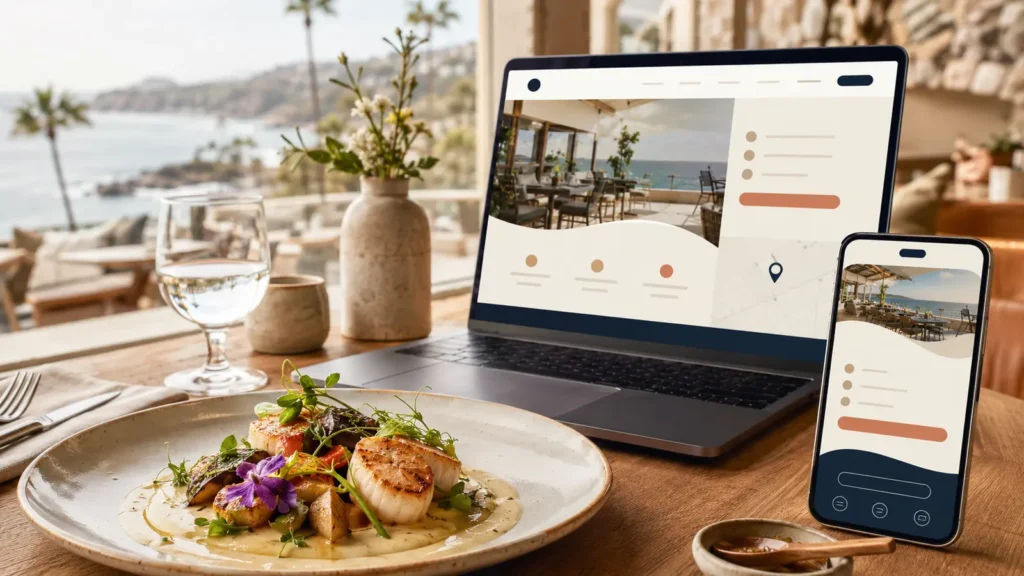
Start Restaurant Website Design With Five Guest Questions
First, most restaurant visitors want to know what you serve, whether you are open, where you are, how to reserve or order, and what the experience feels like. The homepage should answer those questions before introducing a long brand story.
Therefore, make primary actions visible without forcing visitors into a rotating slider or hidden menu. On mobile, tap targets need enough space, phone numbers should be clickable, and directions should open reliably.
Restaurant Website Design for Menus and Search
For example, a PDF can be useful for printing, but it should not be the only menu. PDF files are difficult to scan on phones, may be inaccessible, and can remain outdated in search results. Publish the current menu as readable HTML, then offer a PDF only if guests genuinely need it.
Next, organize categories logically and include prices, dietary information, availability notes, and important disclaimers accurately. Avoid turning every menu item into a large image. The text should remain easy to select, searchable, and usable with assistive technology.
Connect Reservations and Online Ordering Carefully
However, reservation and ordering tools can reduce staff workload, but third-party widgets sometimes slow pages or create confusing exits. Test the full journey on mobile: selecting a time, changing party size, choosing pickup or delivery, applying fees, confirming the order, and receiving the final message.
In addition, state whether ordering or reservations are handled by a partner. Keep direct contact and location information visible if the embedded tool fails. Track outbound booking and order clicks so marketing performance is measurable.
Use Photography That Supports Restaurant Website Design
Likewise, guests buy with their eyes, but overly stylized or inaccurate images can disappoint. Build a balanced library: signature dishes, menu variety, drinks, interior, exterior, team or service moments, and details that communicate atmosphere.
Before upload, prepare landscape, portrait, square, and mobile-safe crops. Compress files, use modern image formats, and write descriptive alt text where it adds meaning. Rays Developer offers product and food photography support for a consistent campaign library.
Design for Local Search and Visitors
For local search, restaurant discovery often starts in maps and local results. Google’s official restaurant Business Profile guide explains how restaurants can manage hours, menus, reservations, ordering links, and photos. Keep the name, address, phone number, hours, cuisine, reservation link, and website URL consistent across the site and major profiles. Holiday and seasonal hours need a reliable update process.
Meanwhile, create useful pages for private dining, catering, events, gift cards, or multiple locations only when the service exists. Local content should help guests; it should not be a stack of near-identical neighborhood pages. Our local California web design service is tailored to hospitality, restaurants, boutiques, and visitor businesses.
Protect Mobile Restaurant Website Design Performance
However, large hero videos, uncompressed galleries, several booking scripts, multiple font families, and social feeds can make the page slow. Prioritize visible menu information and actions, lazy-load below-the-fold media, set image dimensions, and delay video until the visitor requests it.
Therefore, test a cold mobile load, not only a fast desktop connection. Core Web Vitals scores fluctuate, so examine underlying metrics and real usability instead of chasing one number through risky global code compression.
Include Accessibility in Restaurant Website Design
Also, use a logical heading order, sufficient contrast, keyboard-accessible navigation, labeled forms, useful alternative text, captions where needed, and visible focus states. Do not rely on an overlay as a substitute for accessible design and content.
Moreover, operational accuracy is part of usability. Staff should know who updates prices, sold-out items, closures, events, and policies. A beautiful but outdated menu creates immediate trust problems.
Create Pages Around Real Revenue Streams
In addition, a restaurant website can support more than table reservations. Where relevant, create focused pages for private dining, catering, events, classes, wholesale, gift cards, subscriptions, or merchandise. Each page should explain capacity, fit, lead time, location, inclusions, and the next step.
For example, campaigns for seasonal menus or events may use a focused landing page, while evergreen information remains in the main site. This keeps temporary offers measurable without weakening core navigation.
Measure the Restaurant Website Design Guest Journey
Finally, track calls, reservation clicks, online-order clicks, direction requests, gift-card visits, and event inquiries. Use consent-aware analytics and test the implementation to prevent duplicate events. Compare results by device, source, page, and campaign.
Likewise, qualitative feedback matters too. Ask staff which questions guests repeat and where reservations fail. Those insights often reveal better improvements than a generic design trend.
Restaurant Website Design Launch Checklist
- Current menu, prices, dietary notes, and availability reviewed
- Hours, address, phone, map, parking, and accessibility information confirmed
- Reservations, ordering, calls, directions, and forms tested on mobile
- Food, interior, exterior, and team images optimized
- Page titles, descriptions, headings, internal links, and schema checked
- Cookie consent, privacy information, and analytics tested
- Redirects, backups, sitemap, and Search Console prepared
- A named team member assigned to routine updates
Frequently Asked Questions
Should a restaurant menu be a PDF or a web page?
Use a readable HTML menu as the primary option because it works better on phones, is easier to update, and is more accessible. Offer a PDF as a secondary convenience if needed.
What pages should a restaurant website include?
Most need home, menu, location and hours, reservations or ordering, about, contact, and relevant revenue pages such as private dining, catering, events, or gift cards.
How can a restaurant website rank in local search?
Start with accurate business details, a strong Google Business Profile, useful location and service content, reviews, citations, relevant links, mobile performance, and ongoing updates. No agency can guarantee a map position.
Can Rays Developer integrate reservations and online ordering?
Yes, subject to the selected provider and project scope. We test the customer journey and keep direct contact information available in case a third-party tool fails.
Create Restaurant Website Design That Guests Can Use
Rays Developer designs fast, polished websites for restaurants, cafes, bakeries, hospitality groups, and visitor businesses. Share the menu, location, booking tools, and growth goals for a practical recommendation.