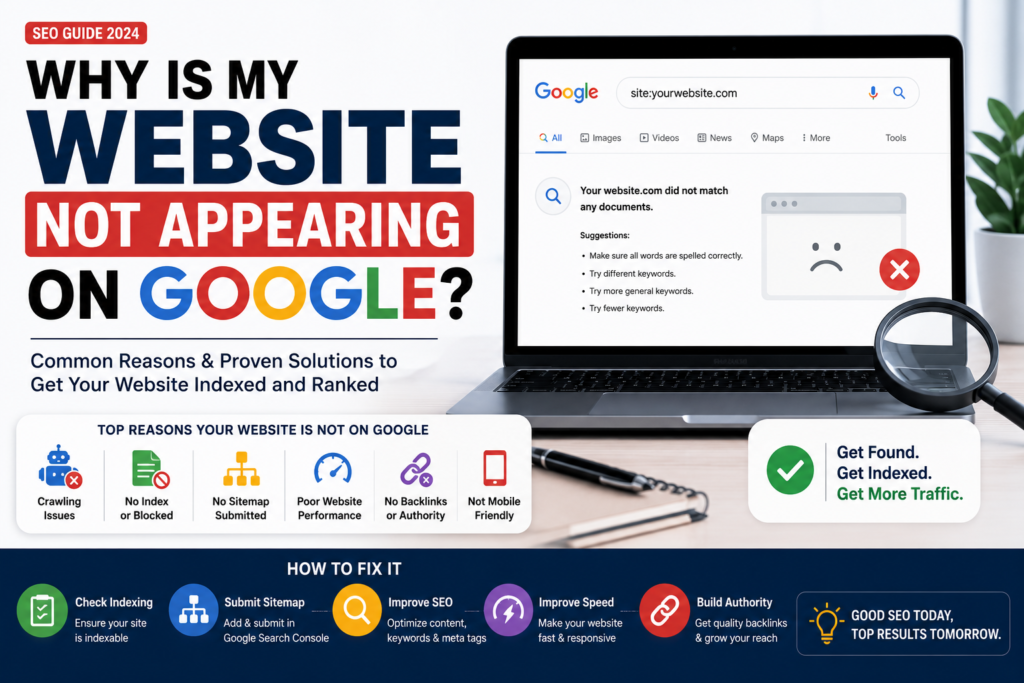
Is your website not showing on Google? First, do not assume the site is broken. Google must discover, crawl, and index each page before it can appear in search. A new site may need several days or a few weeks. However, technical settings can also block Google completely.
Quick answer: If a website is not showing on Google, check whether Google indexed it with a site:yourdomain.com search. Next, confirm WordPress allows indexing, inspect the page for a noindex tag, submit the XML sitemap in Search Console, and review crawl or canonical errors.
Not Showing on Google? Start With This Test
First, search Google for site:yourdomain.com. If pages appear, Google knows the site exists. Therefore, you have a ranking problem rather than an indexing problem. If no pages appear, open Google Search Console and inspect the homepage URL.
Search Console will tell you whether the page is indexed, blocked, redirected, or waiting to be crawled. In addition, it shows the canonical URL Google selected. That single report often identifies the problem in minutes.
1. The Website Is New
A new domain rarely appears instantly. Google first needs a link or sitemap that leads to the site. As a result, a brand-new website can remain invisible for days even when every setting is correct.
To help Google find it, submit the sitemap and link to the website from your Google Business Profile and legitimate social profiles. Meanwhile, keep important pages available through the main navigation.
2. Not Showing on Google Because Search Is Blocked
WordPress includes a setting called “Discourage search engines from indexing this site.” Developers sometimes enable it during a build. However, they may forget to disable it at launch.
In WordPress, open Settings → Reading. Then confirm that the discourage-search-engines box is unchecked. Finally, save the setting and inspect the homepage again in Search Console.
3. A Noindex Tag Blocks Important Pages
A noindex tag tells search engines not to add a page to results. For example, checkout and account pages often need noindex. Your homepage and service pages usually do not.
Open the advanced settings in your SEO plugin and confirm that important pages allow indexing. In addition, inspect any page template that applies one setting across the entire site.
4. Not Showing on Google After Sitemap Problems
An XML sitemap gives Google a clean list of public URLs. Without one, Google can still find pages, but discovery may take longer. Therefore, submit the sitemap index in Search Console and confirm that Google reads it without errors.
Most WordPress SEO plugins create the sitemap automatically. For a detailed explanation, review Google’s official sitemap documentation. After submission, do not send the same sitemap every day; Google checks it again on its own.
5. The Canonical URL Points Somewhere Else
A canonical tag tells Google which URL represents the main version of a page. However, a theme or plugin error may point every page to the homepage. Google can then treat service pages as duplicates.
Each unique page should normally use a self-referencing canonical. For example, the SEO services page should canonicalize to its own URL. If Search Console reports “Duplicate, Google chose different canonical,” compare the declared and selected URLs.
6. Crawling Errors or Slow Loading Cause Problems
Server errors, redirect loops, broken internal links, and a misconfigured robots.txt file can stop crawling. In addition, very slow pages may waste crawl resources and frustrate visitors.
Check Search Console’s Pages report for server errors and redirect problems. Next, test the homepage with PageSpeed Insights. Finally, fix the largest image and any script that blocks the page from rendering.
7. The Website Has Thin or Unhelpful Content
Google may index a thin page but choose not to rank it. For instance, a generic service page with two short sentences gives searchers little value. A strong page explains the service, process, price factors, results, FAQs, and next step.
Therefore, write for the question behind the search. Use real examples, clear answers, original images, and accurate business details. Our SEO services combine technical fixes with useful content instead of keyword stuffing.
8. You Are Targeting a Highly Competitive Search
If your business name appears but “web design” does not, the website is indexed. However, thousands of established pages compete for that broad keyword. This situation needs a ranking strategy, not another indexing request.
Start with specific searches that match your offer, audience, and location. For example, a local agency can target “web design in Carmel, CA” alongside broader national service terms. In short, relevance creates a realistic path to visibility.
Not Showing on Google: Fast Fix Checklist
- Search
site:yourdomain.com. - Inspect the homepage in Google Search Console.
- Allow indexing in WordPress Settings → Reading.
- Remove accidental noindex tags from important pages.
- Confirm each page has the correct canonical URL.
- Submit the XML sitemap once.
- Fix server, redirect, robots.txt, and broken-link errors.
- Add useful content and internal links.
- Request indexing for priority pages after the fixes.
How Long Does Google Indexing Take?
Google does not promise a fixed indexing time. In practice, a healthy new page may appear within days, while a new domain can take longer. Therefore, make the site easy to crawl and monitor Search Console instead of submitting repeated requests.
Ranking takes longer than indexing. A page can exist in Google but remain far below the first page. Consequently, steady improvements to content, internal links, speed, and authority matter after Google discovers the URL.
When to Get Professional SEO Help
Ask for help when Search Console shows persistent indexing errors, pages use the wrong canonical, the sitemap excludes key URLs, or traffic falls after a redesign. Meanwhile, a proper audit should explain the evidence and exact fix. Nobody can guarantee a specific Google position.
If your website is not showing on Google, Rays Developer can check indexing, page settings, internal links, schema, and speed. Book a free consultation for a clear diagnosis and action plan.
Not Showing on Google FAQs
How long until a new website appears on Google?
A healthy site may appear within a few days or weeks after Google discovers it. However, Google does not guarantee a timeline.
Do Google Ads improve organic rankings?
No. Google Ads and organic search use separate systems. Ads can create traffic immediately, but they do not buy a higher organic position.
Should I submit the sitemap after every new page?
No. Submit the sitemap index once. Then your SEO plugin updates it, and Google checks it again periodically.
Why is one page not showing on Google?
The page may have a noindex tag, a conflicting canonical, weak internal links, thin content, or a crawl error. Therefore, inspect that exact URL in Search Console.