// wordpress
WordPress Maintenance Cost: How to Plan Smarter
WordPress maintenance cost depends on the site’s size, sales role, update risk, traffic, integrations, content needs, hosting, and response expectations.…
WordPress can support a simple business website, a content-led growth programme, or a complex service platform when it is built with a disciplined approach to themes, plugins, security, hosting, and maintenance. These WordPress guides cover design, development, platform comparisons, speed, security, content management, ownership costs, and practical governance. They help teams choose an appropriate setup and avoid the common problem of adding plugins or custom code without a long-term maintenance plan. Use the resources to make the next platform decision with a clear view of editing needs, integrations, performance, security, and who will maintain the site. Priorities include choosing themes and plugins for support quality as well as features; keeping WordPress, extensions, backups, and security checks current; protecting performance by limiting unnecessary scripts and page-builder weight; and documenting hosting, access, licences, and recovery responsibilities. Before making changes, record a baseline that reflects the business result you care about. Apply one focused improvement, assign an owner, and set a review date. Compare the result with the baseline, document what was learned, and keep only the changes the team can maintain. Use this WordPress collection as a working reference rather than a checklist to complete all at once. First confirm the audience, objective, constraint, available evidence, and resources. Then choose the article closest to the present decision and translate its recommendations into a small action plan. Review technical quality and customer experience together, because improving one while ignoring the other can create a misleading short-term result. Where a change affects privacy, security, accessibility, advertising claims, or contractual obligations, confirm the applicable requirements for your business and location. If several constraints are connected, contact Rays Developer for a joined-up review of strategy, content, design, development, and measurement.
WordPress offers broad control over content, design, hosting, integrations, and ownership. That flexibility is valuable when the site needs custom page structures, publishing workflows, commerce, membership, or specialised connections. It also requires clear responsibility for updates, security, backups, performance, and compatibility.
Choose a maintained theme and a limited set of reputable plugins that solve defined requirements. Confirm hosting resources, caching, image handling, forms, analytics, search settings, user roles, accessibility, and recovery procedures. Duplicate page builders or overlapping optimisation tools can create unnecessary code and difficult maintenance.
Monitor uptime, backups, security events, update status, server response, Core Web Vitals, form delivery, crawl errors, and conversion tracking. Test important pages and functions after major updates. A staging environment is useful for high-impact changes, while a documented backup and rollback process protects production.
Keep ownership and access organised, remove unused components carefully, and schedule routine maintenance. Prioritise the customer journeys and search-visible pages that support the business. Custom code should be documented so future updates do not silently remove important functionality.
Choose the article connected to a current decision, record the existing baseline, and turn the recommended checks into a short action list. Assign an owner and review date for each change. When the result is clear, keep the improvement or document what should be tested next.
WordPress decisions should account for ownership, editing workflow, performance, security, and future maintenance. Choose a theme and plugin approach that supports required features without creating overlapping systems. Keep hosting, domain, administrator access, licences, backups, and documentation under clear ownership so the business is not dependent on one person’s private account.
Performance work begins with measurement. Optimise image dimensions and formats, fonts, caching, database overhead, third-party scripts, and unnecessary plugin assets while protecting essential functionality. Test representative pages on mobile and monitor real user signals where available. A perfect laboratory score is less useful than a stable, fast journey for actual visitors.
Maintenance needs a repeatable routine: verified backups, staged or carefully reviewed updates, security monitoring, spam control, form-delivery checks, broken-link review, and periodic content refresh. Custom code and important configuration should be documented. After any theme or plugin update, recheck templates, tracking, navigation, forms, and search-visible content that the update could replace.
WordPress maintenance cost depends on the site’s size, sales role, update risk, traffic, integrations, content needs, hosting, and response expectations.…
Website security checklist reduces common risk through basic controls that stay active over time. First, security needs current software, strong…
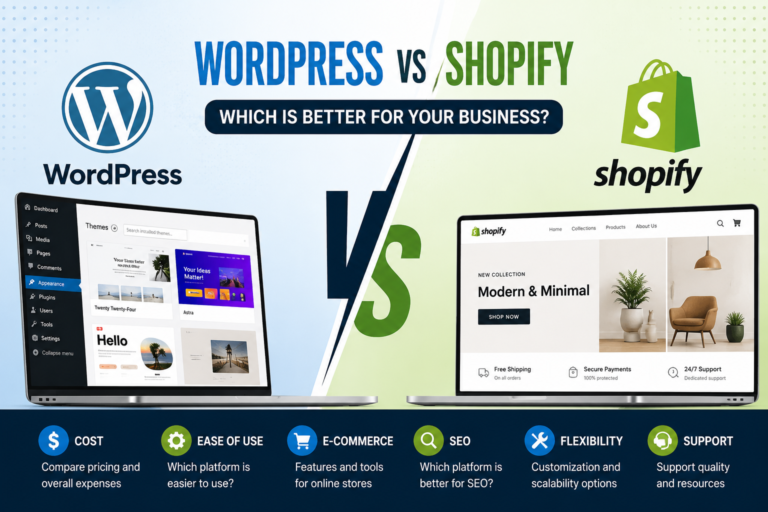
WordPress vs Shopify is one of the most common questions we get, and the honest answer is: it depends on…